
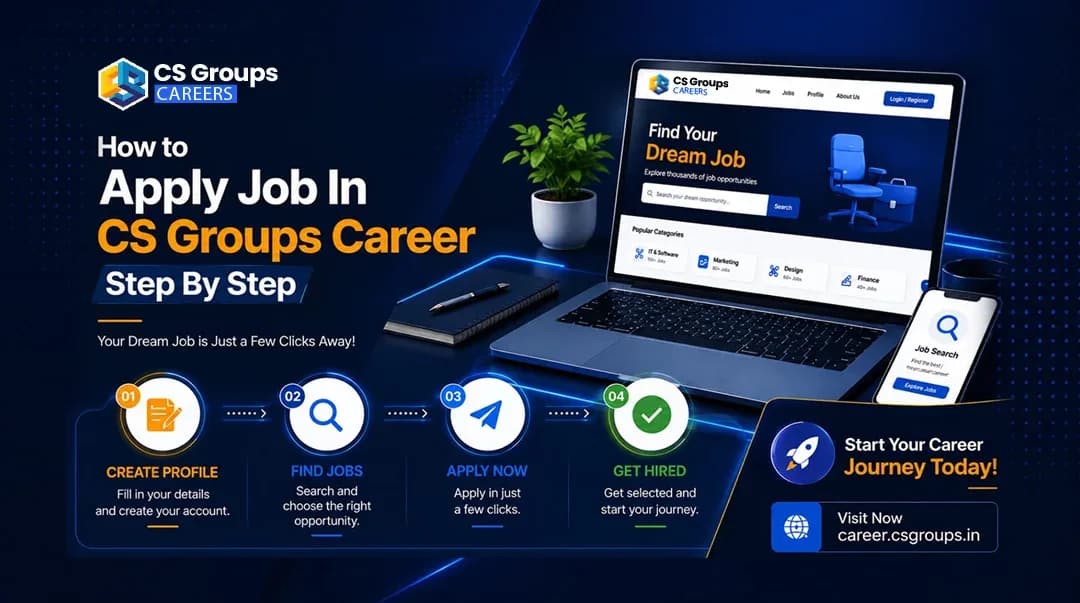
How to Apply Job In CS Groups Career Step By Step
Create an account, complete your profile, see your match percentage on every role, and apply in one click — the whole process, exactly as it works.
CS Groups Hiring Team
Talent & Hiring, CS Groups
Key takeaways
Applying at CS Groups takes four steps: create an account with an email OTP, complete your profile (personal details, skills, work experience), check your match percentage on the roles you want, and apply. Your profile attaches itself to the application, so the form is short. After applying you can track every stage from your dashboard.
Every open role at CS Groups is applied for the same way: through your own candidate account. It takes a few minutes to set up once, and after that applying for any role is a single click — your profile attaches itself to the application.
Here is the whole process, step by step.
Step 1 — Create your account
Open career.csgroups.in and click Sign in. Choose Sign up, enter your name, email and mobile number, and confirm the one-time code we email you. There is no password to remember — you can set one afterwards if you prefer.
While signing up you can also tick to receive job alerts, so new openings that suit you reach you by email.
Step 2 — Complete your profile
Go to My dashboard → Profile. This is the part that matters most, because recruiters read it alongside your application and it is what our matching is calculated from.
- Personal details — your name, phone, city and basic information.
- Professional summary — a one-line headline and your skills. Rate each skill honestly; a skill you have used in a job counts for more than one you have only read about.
- Work experience — company, role, dates and a short description of what you actually did. If you are a fresher, mark yourself a fresher instead; that counts as complete.
- Education, résumé, documents and portfolio — upload your CV once and it attaches to every application.
The Profile strength bar on your dashboard shows what is still missing.
Step 3 — Find the roles that fit you
Open View openings. Once your profile has skills on it, every job card shows your match percentage:
- Green — you match what this role asks for.
- Amber — you are close, usually one skill away.
- Red — not a match yet.
Your dashboard has the same list under Jobs you match, grouped into You're eligible, One skill away and Not a match yet. The middle group is the one worth reading first — it is usually a single profile edit away.
Step 4 — Check the role, then apply
Open the role you want. The apply box tells you where you stand before you type anything, and Learn more — why? opens the full breakdown: every skill the role asks for, whether we found it on your profile, and where we found it — for example, in a job title you have held. If experience is required, it shows what the role asks for against what your profile shows.
If something is missing, use Improve your match — each link takes you straight to that section of your profile. Come back and the verdict updates.
When you are ready, fill in the short form — name, email, phone, and an optional cover letter and résumé — and submit. Everything else comes from your profile automatically.
What if a role says you are not a match?
Nothing is blocked. Our screen reads the structured fields on your profile, not your whole résumé, so it can be wrong about a real person. You have three options, and all of them are open:
- Add the missing skill if you genuinely have it, and re-check.
- Look at Roles you're eligible for, shown right there with their percentages.
- Use Apply anyway — the application reaches us either way.
After you apply
You will get a confirmation email immediately. Open My applications to follow every stage — Applied, Reviewing, Shortlisted, Interview, Offer, Hired — with the date each one changed, along with any interview date and joining link. You can apply once per role, and a closed or expired opening will say so rather than quietly accepting an application nobody reads.
Five things that get you a faster reply
- Fill your skills properly. This is what the match is calculated from, and what recruiters filter on.
- Describe what you did, not just where you worked. A job title plus two honest lines beats a long list of adjectives.
- Upload your résumé once, keep it current.
- Apply to roles you match, and fix the one missing skill on those you nearly match.
- Write a short cover note saying why this role — it is optional, and it is read.
Questions at any point? Open Support from your dashboard and our HR team will reply there — you will see the response time on the ticket.
Frequently asked questions
Do I need an account to apply?
Yes. Applying takes a CS Groups account, which you create with a one-time code sent to your email — no password needed. Your profile then attaches itself to every future application, so applying for the next role is one click.
What does the match percentage mean?
It compares the skills and experience on your profile with what the role actually asks for. It is calculated from what you have filled in — so an empty profile shows no percentage at all until you add your skills, not a score of zero.
It says I am not a match. Can I still apply?
Yes. Nothing is blocked. Open "Learn more — why?" to see exactly which skill is missing, add it if you genuinely have it, and the verdict updates. If you still want to apply, the "Apply anyway" link is always there.
I am a fresher with no work experience. Can I apply?
Yes. Mark yourself a fresher in the Work experience section and your profile counts as complete. Internships are never judged on years of experience.
How do I know what happened to my application?
Open My applications on your dashboard. Every stage is shown — Applied, Reviewing, Shortlisted, Interview, Offer, Hired — with the date it changed, and you get an email when it moves.
CS Groups Hiring Team
Talent & Hiring, CS Groups
CS Groups hires across marketing, technology, design and AI. This blog is written by the team you would be joining — how we hire, what we look for, and what the work is actually like.
Looking for your next role?
See every open job and internship — and how well your profile matches each one.
View openingsComments0
Loading comments…